
The Viral Skeleton X-Ray AI Photo Trend: How to Create Your Own
A glowing, neon-colored skeletal overlay on a photo of yourself — or your dog. Here's how the style works and how to get a clean result.
Aug 23, 2026 · 5 min read · Style Guide
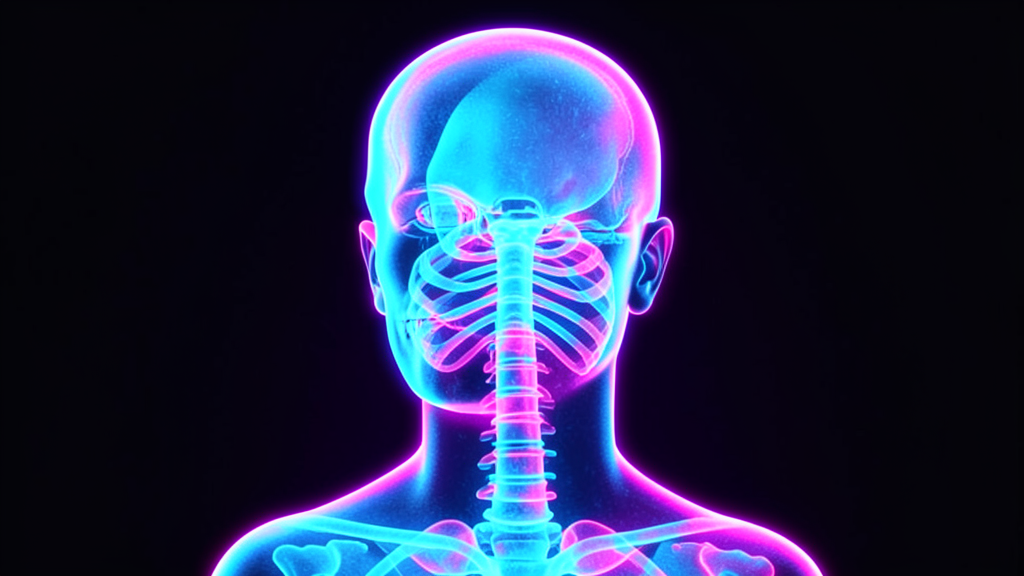
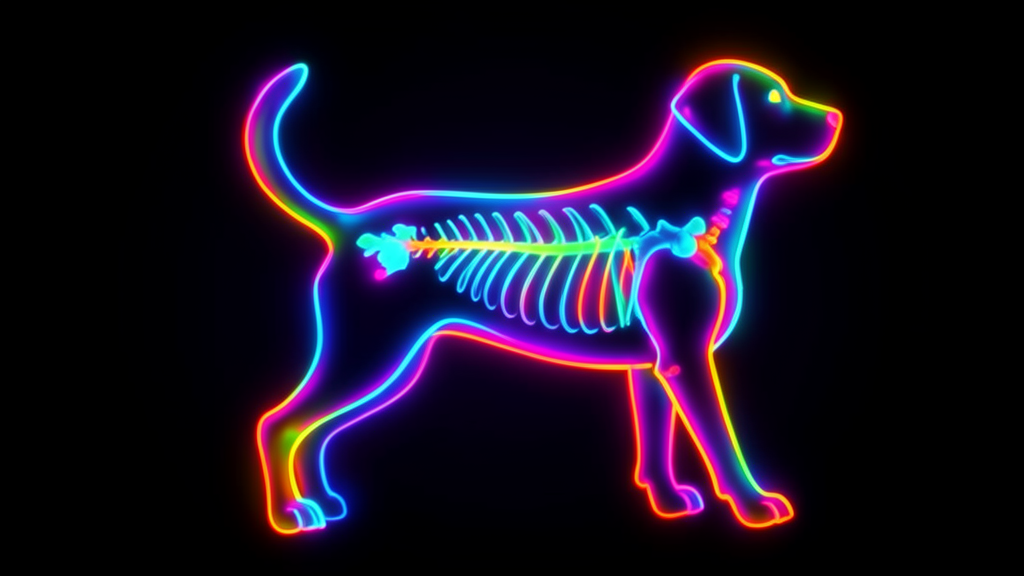
The X-ray style turns a normal photo into a glowing, artistic skeletal scan — part sci-fi, part medical-imaging aesthetic, entirely stylized rather than realistic. It's one of Zyvo's named image styles, built specifically for this look, with a dedicated version for pet photos too.
Why it performs well
It's instantly recognizable, visually striking against a dark feed, and works for a subject almost anyone has on hand — a selfie or a photo of a pet. That combination of novelty and low barrier to entry is what tends to drive a style into heavy rotation.
Tips for a clean result
Use a plain, well-lit reference photo
A clear, front-facing photo with simple lighting gives the generator the clearest outline to build the glowing skeletal overlay on top of.
Pick a color pair with real contrast
Cyan-and-magenta or blue-and-orange reads more clearly as an X-ray glow than two colors close together on the color wheel.
Try it on pets, not just people
The dog X-ray version of this style is genuinely one of the most-shared variations — any clear side-profile pet photo works well.
Keep the pose simple
A straightforward standing or sitting pose translates into a cleaner, more readable skeletal silhouette than a complex or partially obscured one.
More styles worth trying
Skeleton X-Ray is one of several named styles in Zyvo's image generator most creators never open. See the six other lesser-known styles worth trying next.
Try the X-Ray Style
Open the AI Image Generator →Related Articles
10 AI Image Styles You Didn't Know You Could Generate
Six lesser-known Zyvo image styles most creators never try.
23.08.2026
AI Image Generator Examples: 8 Real Styles You Can Create Right Now
Real examples across eight distinct Zyvo image styles.
21.05.2026
How to Write the Perfect AI Image Generator Prompt (Formula + Examples)
A repeatable prompt formula with weak-vs-strong examples.
09.08.2026


